
Your first translation with Wild Talker
The current release is an unpacked desktop Chrome / Edge extension. Wild Talker does not currently have its own store listing.
1. Download
Download the 0.0.38 Chrome / Edge ZIP, or open this release and select the same package from Assets. Source code.zip is developer source, not a ready-to-load extension.
Extract it to a permanent folder. Open its chrome-mv3 subfolder and find manifest.json: load the folder that directly contains this file, not the ZIP or an empty parent folder.
The browser shows extension version 0.0.38, corresponding to release tag v0.0.38-wild-talker.1. A fresh 0.0.38 install defaults to light, even when the operating system is dark. Existing saved dark/system preferences remain; use Settings → General settings → Interface theme → Light once to change them. Follow operating system remains selectable. See the theme fix.
The release tag distinguishes this fork; the browser manifest only supports numeric versions. Check the product name, tag and package together.
2. Load the extension
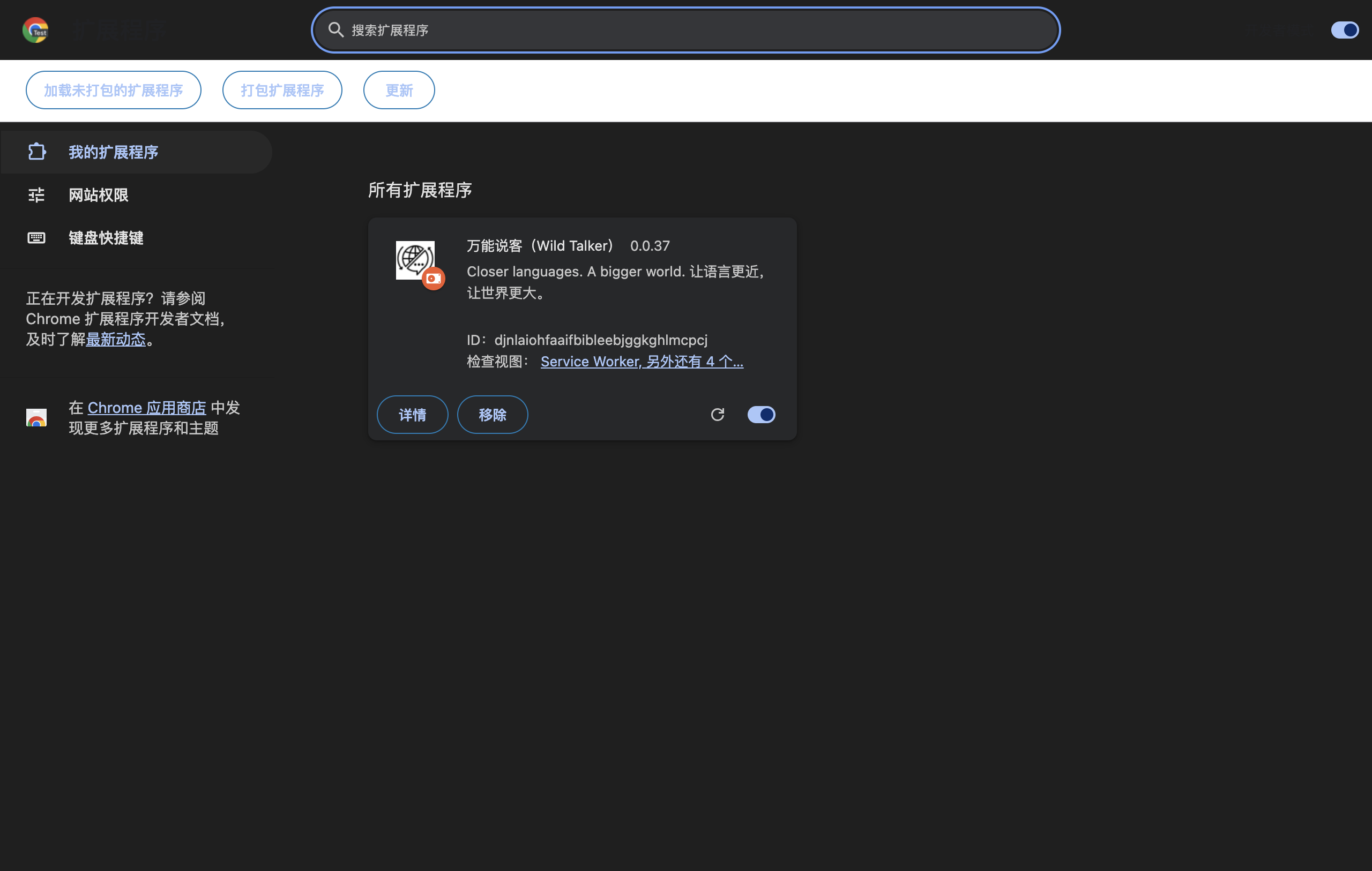
Chrome
- Enter
chrome://extensions/in the address bar. - Enable Developer mode.
- Click Load unpacked.
- Select the folder containing manifest.json. Confirm the card says Wild Talker (or its Chinese localized name).
- Pin it from the toolbar extension menu and refresh existing regular webpages.
Edge
- Enter
edge://extensions/in the address bar. - Enable Developer mode.
- Click Load unpacked.
- Select the folder containing manifest.json and check the product name and version.
- Show its toolbar icon and refresh existing webpages.
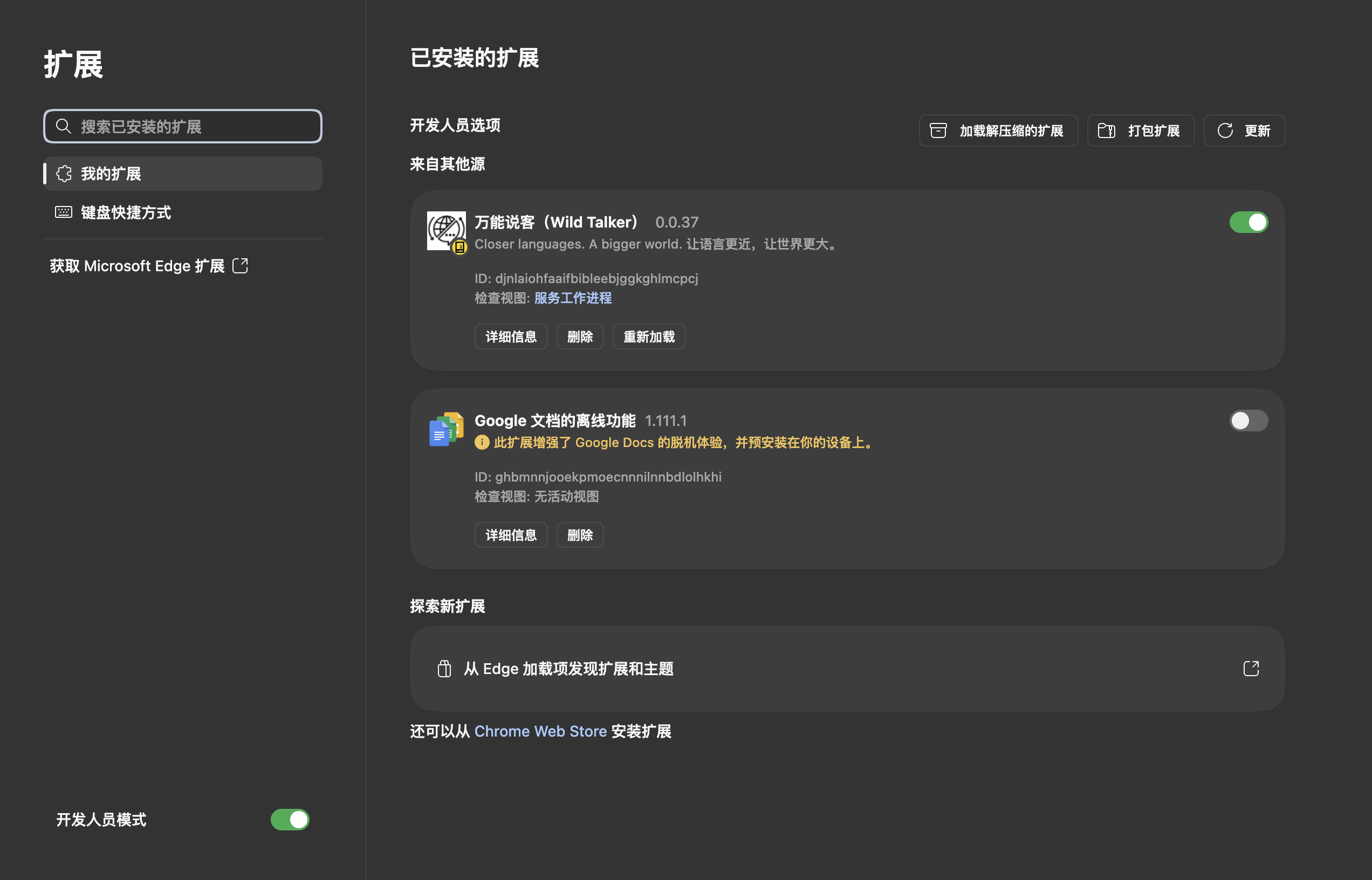
If manifest.json is missing, check whether you downloaded the source archive or chose an extra parent folder. Keep the installed directory in place: the browser still reads it.
3. Choose a service
Open Settings → Translation providers. Ordinary webpage translation and basic selection translation can use built-in translation services without your own AI API. Public endpoints can fail because of network, regional restrictions or rate limits; no continued free availability is promised. Try a short paragraph first.
AI reading explanations and AI prompt presets require a compatible AI provider or a local model service. A chat subscription does not necessarily include API quota. Account requirements, pricing and data policies come from the provider.
For custom services, follow the verified API example, enter the endpoint and model, and select Check connection. Keep keys out of screenshots. After checking, set it as default or assign it to the feature you need; selecting a provider in the directory alone does not change the default.
4. Translate for the first time
- Open a normal foreign-language page such as Example Domain. Browser settings, extension management and store pages cannot be translated.
- Open the extension, choose Auto detect → Simplified Chinese, and confirm the service.
- Select Translate and wait for translations beneath the paragraphs. Scroll to translate more content.
- Select Restore original. Change the language or provider, then translate again when needed.
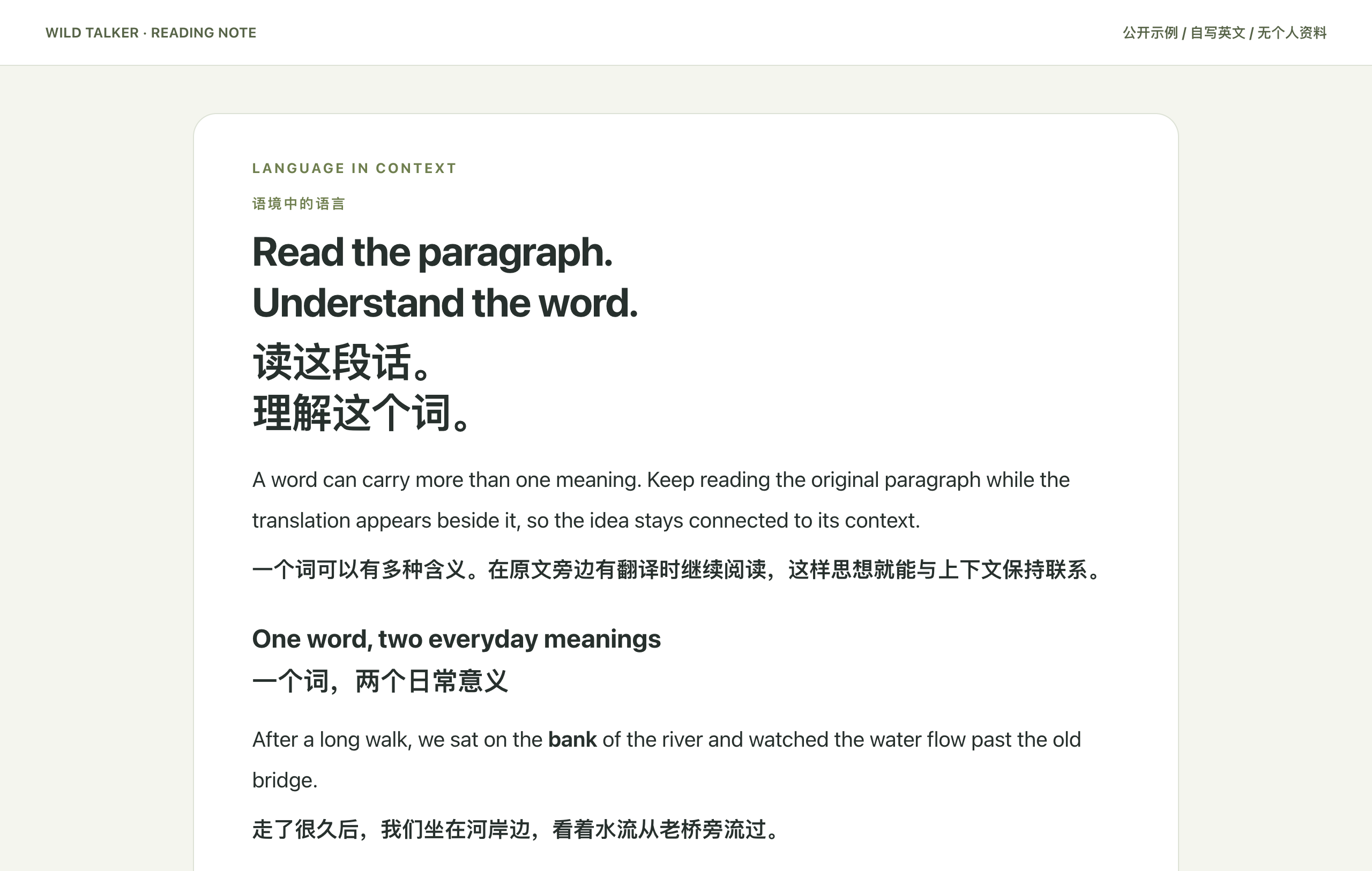
Enable selection translation, select text, and click the entry next to it. To receive AI explanations, configure a supported AI service and enable the reading card first. Paragraph reference supplies limited context while the selected text remains the translation target.
Next steps
- Why Wild Talker: examples and activation conditions.
- Offline installation & upgrades.
- Provenance & distribution: licensing and OAuth limits.
- Report a problem with versions, a public URL and redacted screenshots.