
Light default & upgrade notes
Download the 0.0.38 Chrome / Edge ZIP · Installation guide · Release notes
Version 0.0.37 defaulted fresh installations to Follow operating system. On a dark system, the popup, settings and document interface used the dark theme, which could differ from the light screenshots.
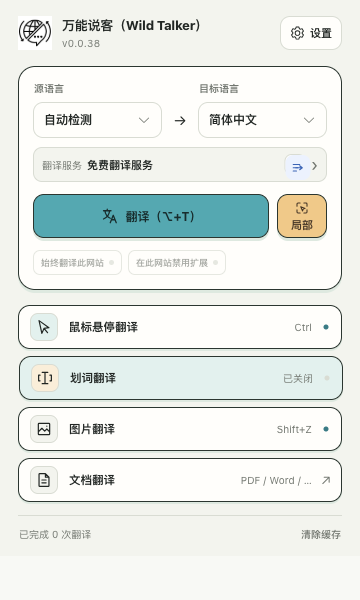
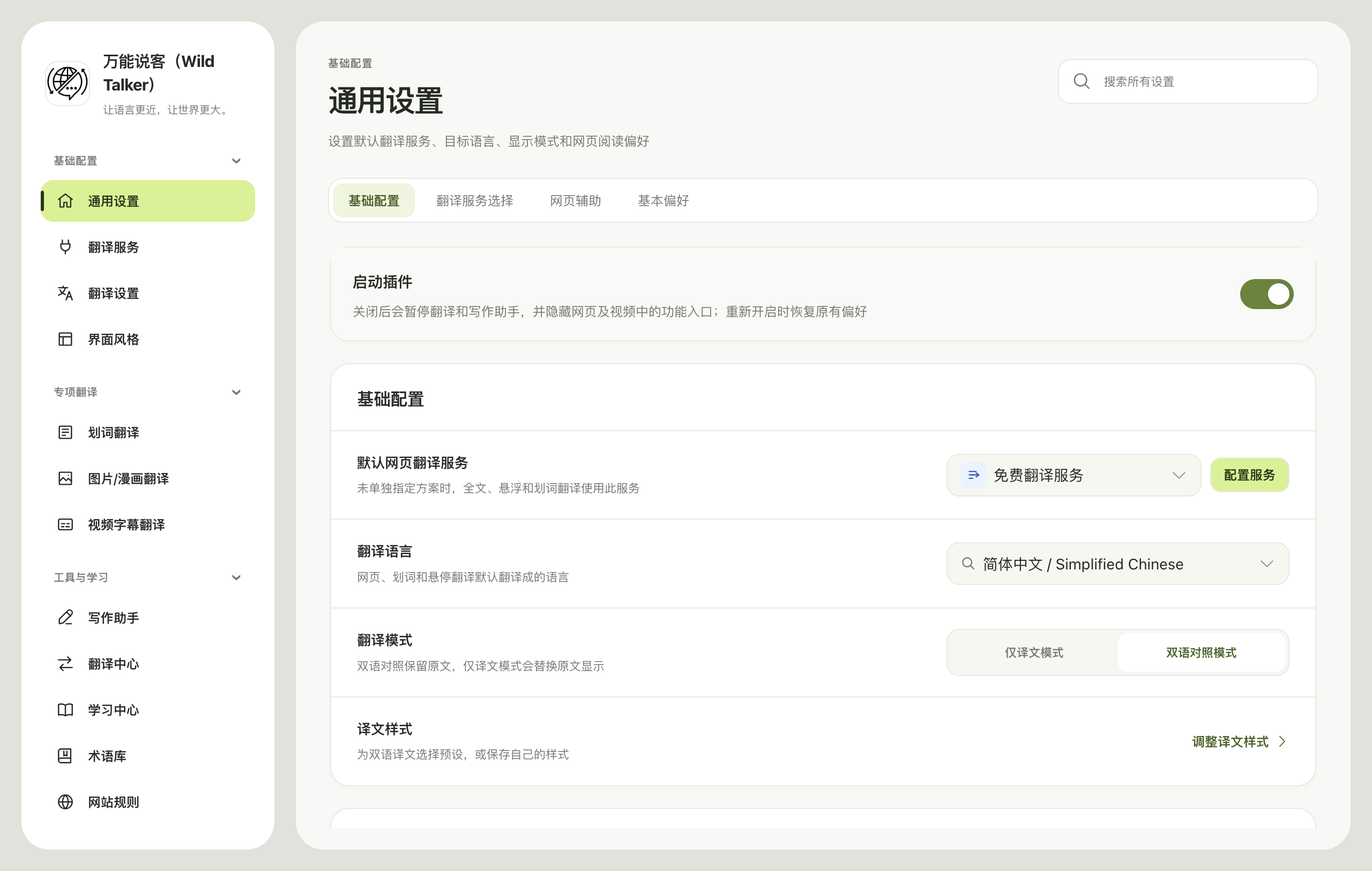
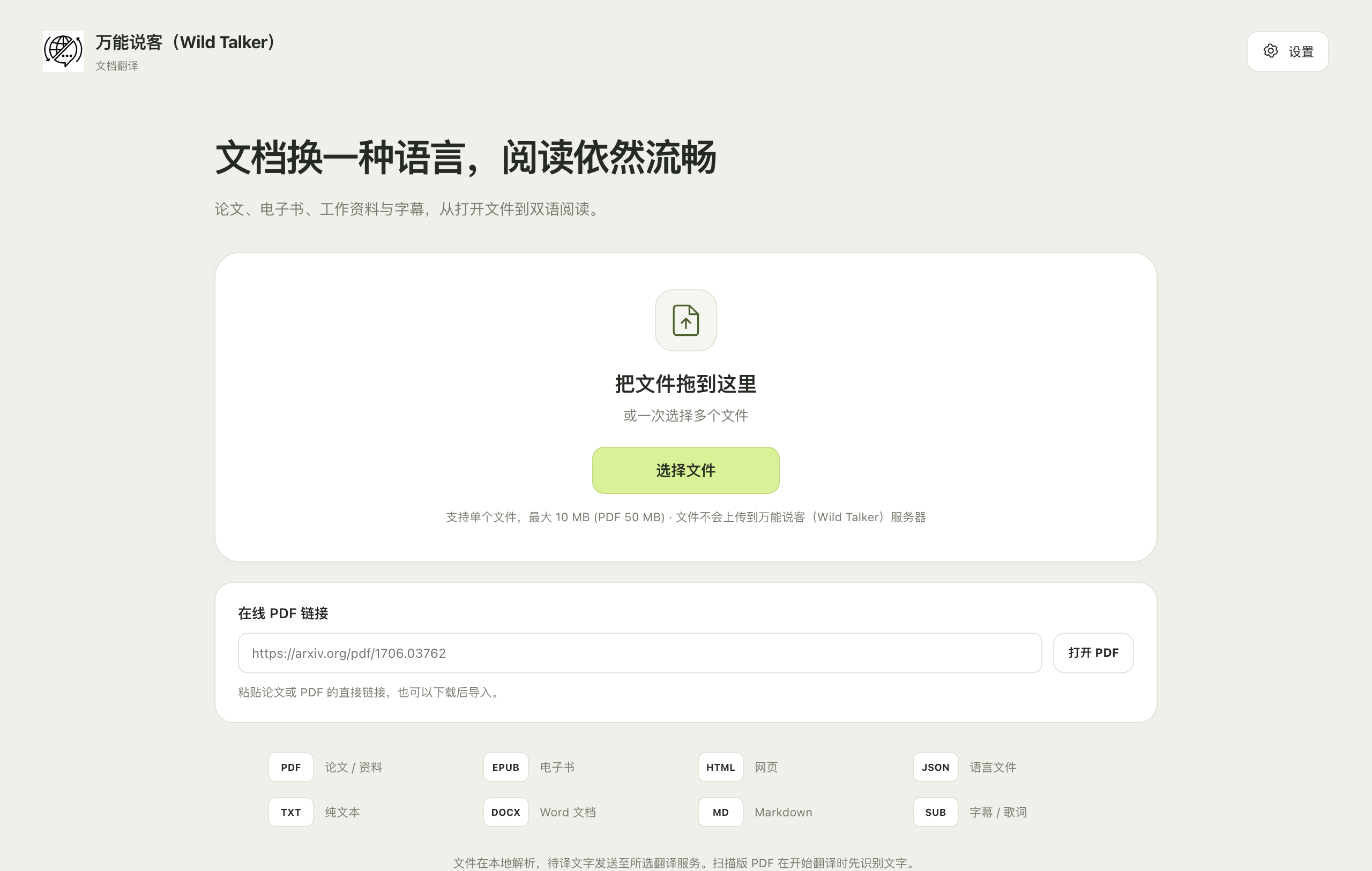
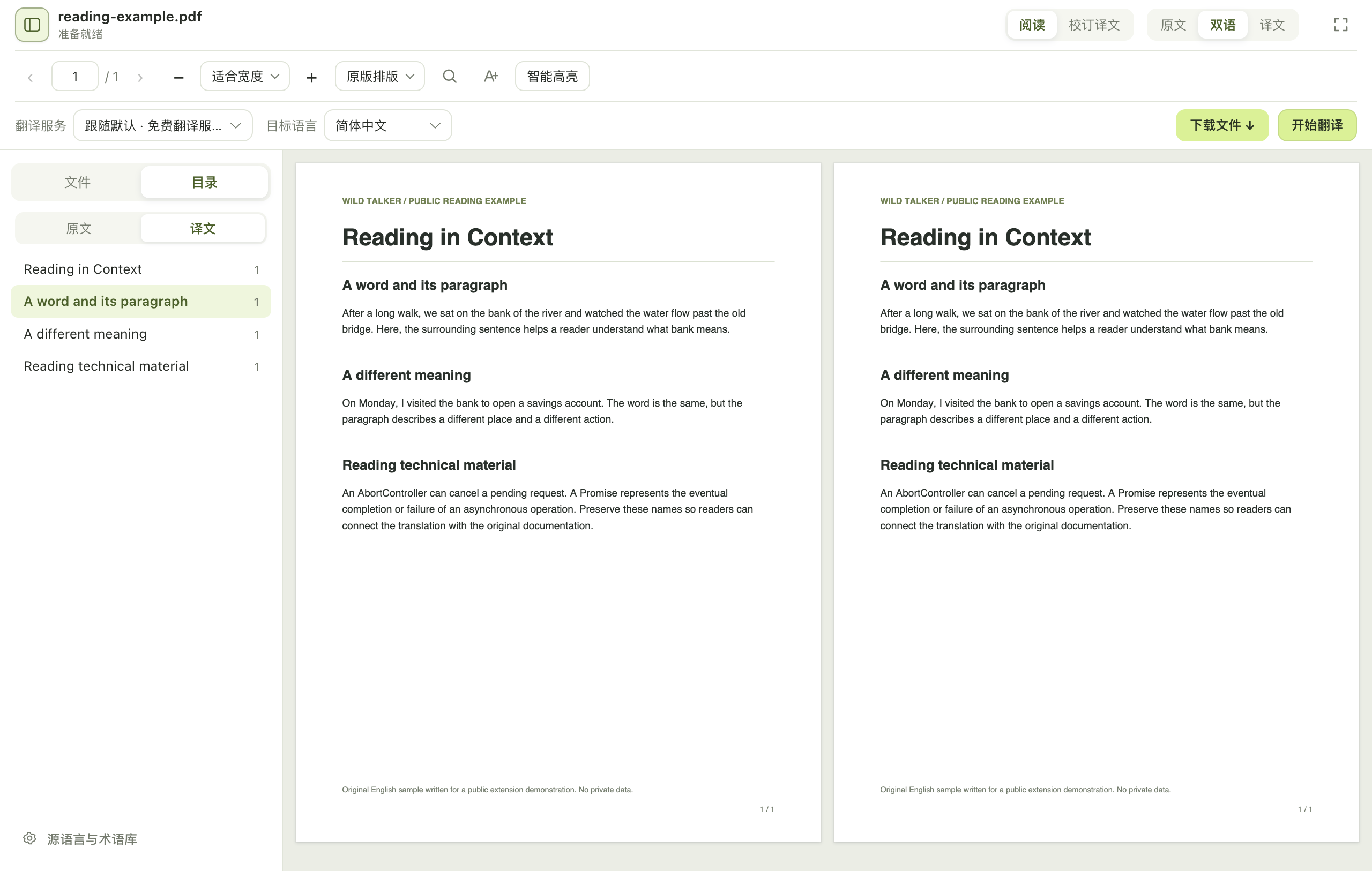
Version 0.0.38 defaults installations without a saved theme to Light. Missing or invalid theme values also fall back to light; following the system requires an explicitly saved auto value. Extension version 0.0.38 corresponds to release tag v0.0.38-wild-talker.1 and package wild-talker-0.0.38-chrome-edge.zip.
Existing installations
Upgrades keep saved dark and auto values, including an auto value previously saved by the old default. They are not forcibly replaced.
- Export necessary settings and replace files in the original extension directory.
- Select Wild Talker's Reload action at
chrome://extensions/oredge://extensions/and confirm version 0.0.38. - To stay light, choose Settings → General settings → Interface theme → Light once.
- Refresh already-open popup, settings and document pages.
You can still deliberately choose Dark or Follow operating system. Saved preferences remain in use. The theme affects the extension interface, not the original webpage's colors.
Media and verification scope
The homepage and first-translation screenshots/recording were made with 0.0.37. The 0.0.38 layout is retained; this release fixes the theme default. Earlier media and model outputs remain attributed to the 0.0.37 first-use verification.
On October 14, 2026, the actual frozen 0.0.38 package was checked for fresh-install behavior and saved preferences. Dark/light system preferences were reproduced using browser CDP prefers-color-scheme emulation; native operating-system appearance was not changed.
| Browser and mode | Actual scope | Result |
|---|---|---|
Chrome for Testing 151.0.7922.34, visible macOS background window | 10 cases: fresh popup/settings/document home/text-PDF reader, manual light/dark/system preferences and two actual process restarts | All passed, 0 page errors; saved dark / auto values persisted |
Microsoft Edge 155.0.4283.45, headless | Complete 10-case run, including two actual process restarts | All passed, 0 page errors; saved dark / auto values persisted |
| Same Edge version, visible window | Initial 4 cases, including fresh light surfaces, text PDF and explicit dark checks | Passed; full restart persistence was verified by the headless run above |
The visible Edge restart attempt triggered the focus guard and was stopped. The complete run then used the actual Edge executable in headless mode; its results are not presented as a full visible-window run. Restarts reused the same temporary profile and extension ID, reloading the same frozen directory. Test browsers and their temporary profiles were removed afterwards without accessing daily user profiles.
New 0.0.38 installation screenshots
The four images below come from the visible Chrome background window with dark system-media preferences active. The extension remains light, and the popup displays 0.0.38.
Visible Edge settings screenshot · Headless Edge settings screenshot · Redacted verification summary and image checksums
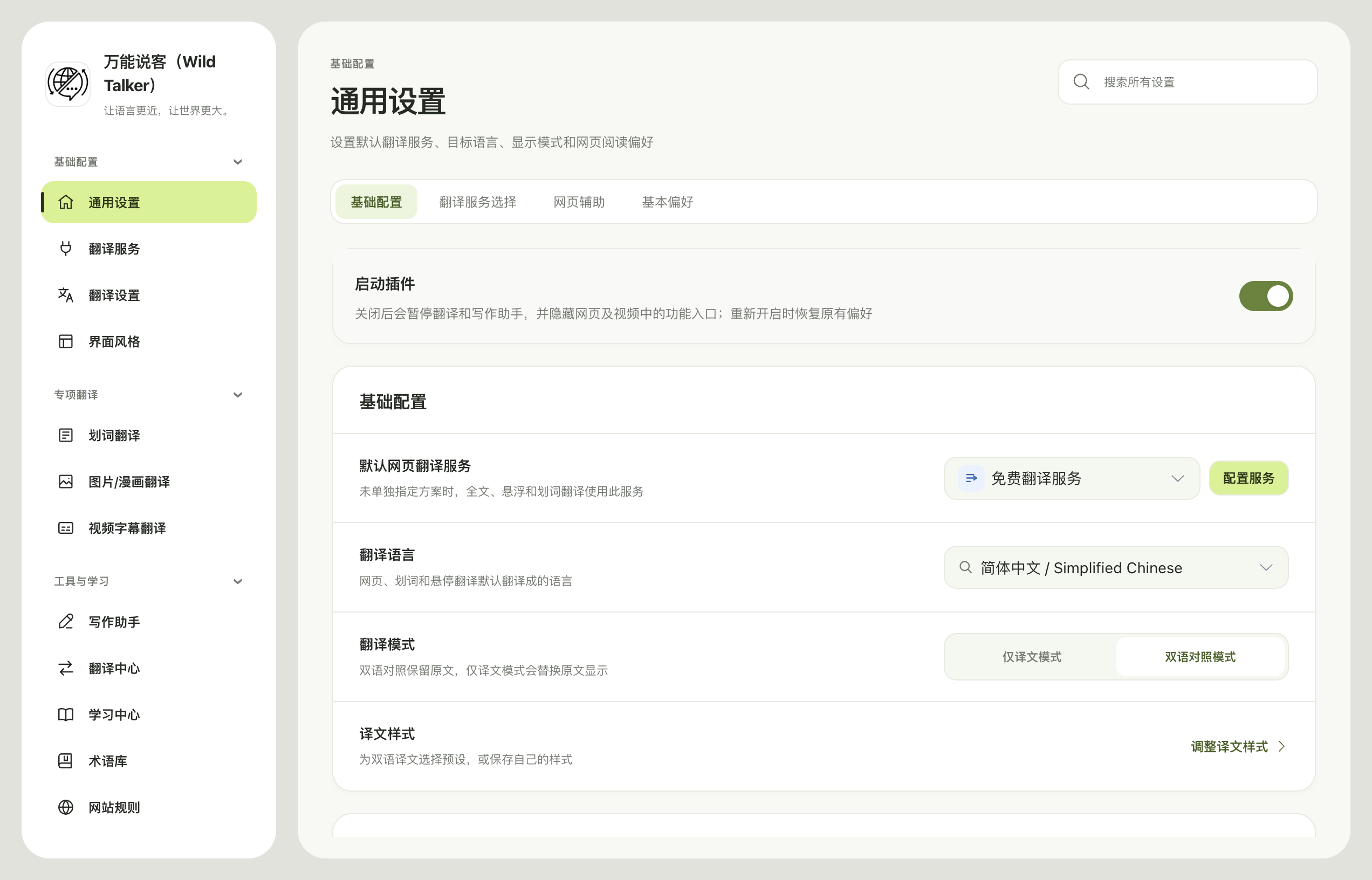
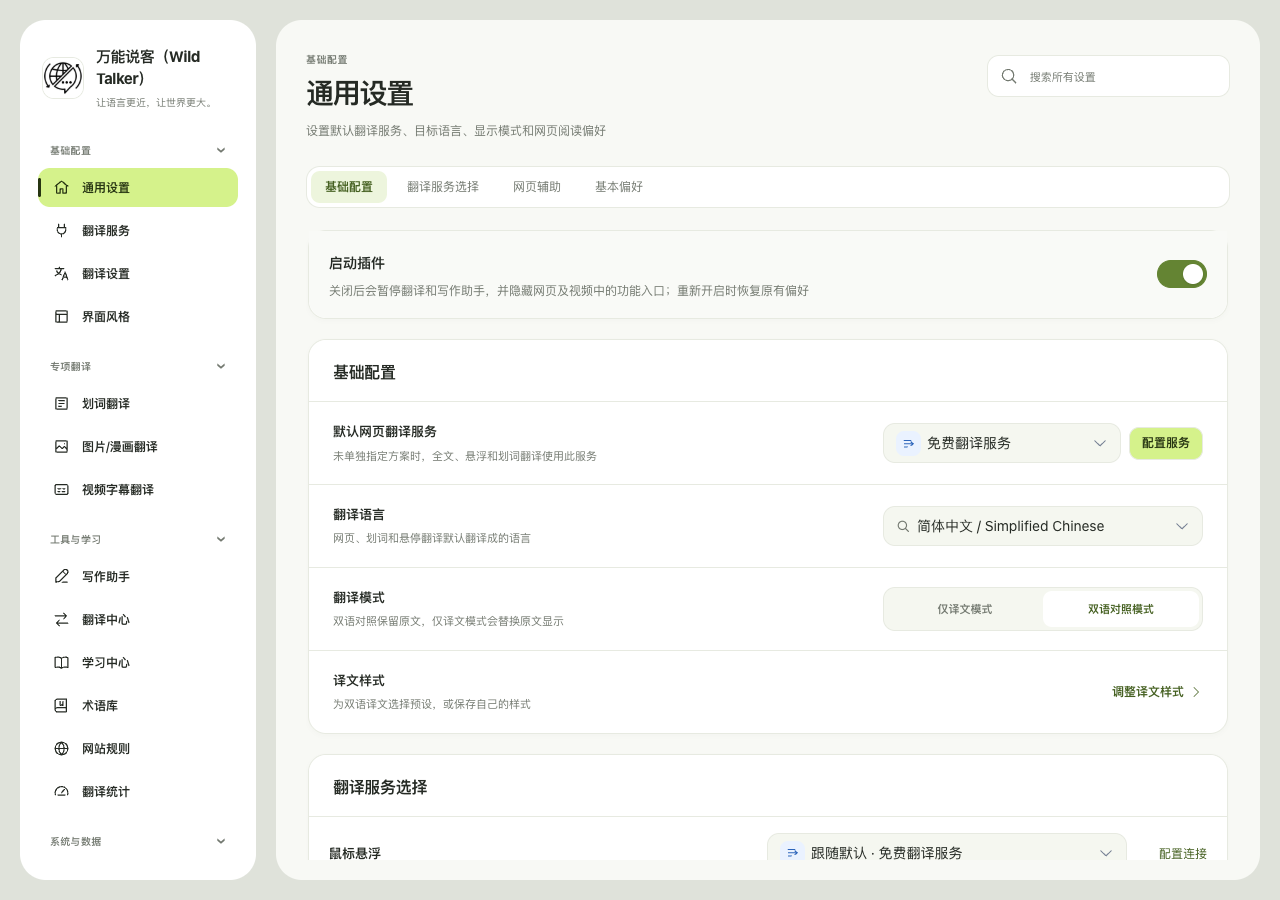
All 467 tested runtime files matched the ZIP individually. This checks theme defaults and explicit preference persistence only; earlier translation services or models were not rerun, and no translation-quality improvement is inferred. Windows, Linux and all browser distribution channels were not covered.
SHA-256 of the current ZIP:
b03b1a0df5f951a7d072b6175838d4b00b7fde9e3a3b39542bca45c458e72b37After extracting, load the chrome-mv3 directory directly containing manifest.json. Keep the directory in place. You do not need to uninstall to change themes; uninstalling can remove local settings and learning records.